
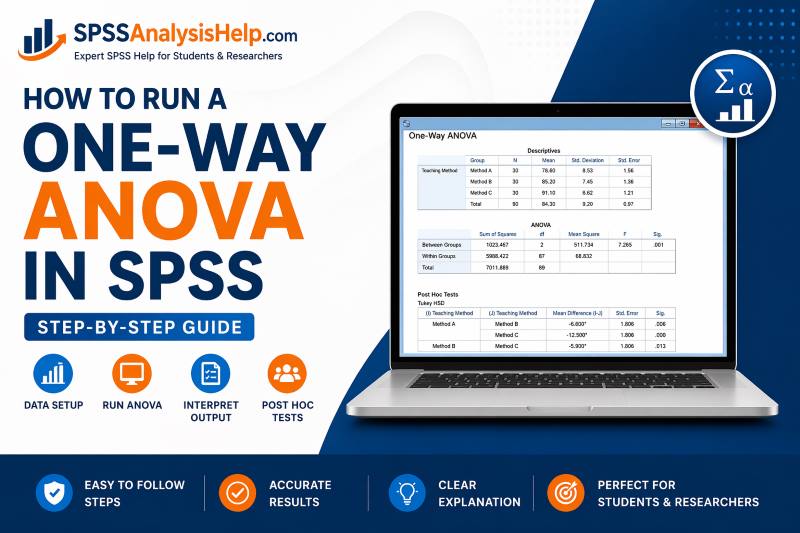
When a study compares the mean of one outcome across three or more groups, one of the first tests researchers usually consider is the one-way ANOVA. In SPSS, the procedure is straightforward once the data are arranged correctly and you know which options to request. This guide is written for students, researchers, and anyone who wants a practical, complete tutorial on running a one-way ANOVA in SPSS. It explains when to use the test, how to prepare your dataset, the exact SPSS steps, how to choose post hoc tests, how to interpret the output, and what to do if assumptions are not met. SPSS’s One-Way ANOVA procedure supports descriptives, homogeneity testing, mean plots, and post hoc comparisons such as Tukey and Games-Howell, which are central to the workflow covered here.
What is a One-Way ANOVA?
Before running any test in SPSS, it helps to know the question the test is designed to answer. A one-way ANOVA tests whether the mean of a continuous dependent variable differs across three or more independent groups formed by one categorical factor. That is why it is called “one-way”: only one grouping variable is involved.
A one-way ANOVA is commonly used for questions like these:
- Do average exam scores differ across three teaching methods?
- Do stress levels differ across job categories?
- Do customer satisfaction ratings differ across service plans?
- Do blood pressure readings differ across treatment groups?
The test does not tell you immediately which groups differ. It first tests the overall question of whether at least one group mean is different from another. If that overall result is significant, you then use post hoc comparisons to identify the specific group differences. That sequence is built into the standard SPSS one-way ANOVA workflow.
When to Use a One-Way ANOVA in SPSS
Many students know the name of the test but are still unsure whether it fits their data. The easiest way to decide is to look at your variables and your research question.
Use a one-way ANOVA in SPSS when you have:
- One continuous dependent variable, such as score, income, age, or satisfaction
- One categorical independent variable, such as treatment group, school type, or department
- Three or more independent groups
- A goal of comparing group means
The groups must be independent. That means each participant belongs to only one group. If the same participants are measured more than once, this is not the correct test.
A simple rule helps:
- For a one-sample compared to a known value, use a one-sample t-test
- For two independent groups, use an independent-samples t-test
- For three or more independent groups, use a one-way ANOVA
- For repeated measures on the same participants, use the repeated measures procedure
This matters because the one-way ANOVA procedure in SPSS is designed for a single factor with independent groups and a scale-level outcome.
When Not to Use It
Just as important as knowing when to use ANOVA is knowing when not to force it. A wrong test creates confusion long before interpretation begins.
Do not use a one-way ANOVA when:
- Your dependent variable is categorical rather than continuous
- You only have one group
- You only have two groups and want the simpler independent-samples t-test
- The same participants appear in more than one group
- You are studying two independent variables at once
- Your data requires a nonparametric alternative because assumptions are badly violated
You should also pause if your grouping variable has categories that are not truly independent. For example, before-and-after scores for the same people do not belong in a one-way ANOVA.
In practice, many student errors begin here. They open SPSS before checking whether the study design actually matches the test. Taking one minute to confirm the setup saves much more time later.
Example Used in This Tutorial
A good example makes the SPSS steps easier to follow. Throughout this guide, imagine a researcher who wants to know whether exam scores differ across three study methods.
The variables are:
- Dependent variable: Exam score
- Independent variable: Study method
The study method has three groups:
- Lecture
- Blended
- Online
The hypotheses would be:
- Null hypothesis: all group means are equal
- Alternative hypothesis: at least one group mean differs
This is exactly the kind of research question a one-way ANOVA is built for. You have one continuous outcome and one factor with three independent groups. Once that setup is clear, the rest of the SPSS process becomes much easier to understand.
Variables You Need in SPSS
A one-way ANOVA only needs a small number of variables, but they must be defined properly. If the variable types are wrong, the output will either be misleading or impossible to interpret.
You need:
- one dependent variable
- must be continuous
- examples: score, salary, waiting time, depression score
- one independent variable
- must be categorical
- examples: gender, treatment type, education level, school type
In SPSS, the grouping variable is often coded using numbers. For example:
- 1 = Lecture
- 2 = Blended
- 3 = Online
You can assign these labels in Variable View so the output shows meaningful group names instead of raw codes. This small step makes your results far easier to read, especially when you are interpreting tables or writing the final report.
How to Arrange the Data in SPSS
Many SPSS problems begin with data entered in the wrong format. For one-way ANOVA, each row should represent one participant or one case, and each column should represent one variable.
A correct structure looks like this:
| score | method |
|---|---|
| 72 | 1 |
| 68 | 1 |
| 81 | 2 |
| 77 | 2 |
| 85 | 3 |
| 79 | 3 |
That is the format SPSS expects for the One-Way ANOVA procedure. The dependent variable goes into one column, and the grouping variable goes into another.
Do not arrange the data like this:
- One column for Lecture scores
- One column for Blended scores
- One column for Online scores
That wide format is a common beginner mistake. SPSS one-way ANOVA expects the data in a single outcome column plus one factor column, not separate columns for each group.
Assumptions of One-Way ANOVA
A good ANOVA result depends on more than just menu clicks. You should also know the main assumptions so you can judge whether the analysis is appropriate and how cautious you should be when interpreting the output.
The key assumptions are:
- independence of observations
- continuous dependent variable
- categorical grouping variable
- no serious outliers within groups
- approximate normality within groups
- homogeneity of variances
SPSS can help with some of these directly. For example, the One-Way ANOVA procedure can produce Levene’s test for homogeneity of variances, while descriptive screening tools can help identify outliers and unusual group distributions.
You do not need perfect data for ANOVA to be useful. In real research, mild departures from normality are common. What matters most is understanding whether the violations are small, whether group sizes are reasonably balanced, and whether variance differences are serious enough to affect the choice of post hoc test or omnibus test.
How to Perform a One-Way ANOVA in SPSS: Step-by-Step
Step 1: Screen the Data Before Running ANOVA
It is tempting to jump straight into Analyze > Compare Means > One-Way ANOVA, but a better workflow starts with a quick look at the data. This step often reveals coding errors, extreme values, or strange distributions before they become interpretation problems.
A practical route in SPSS is:
Analyze > Descriptive Statistics > Explore
Then:
- Move the dependent variable into the Dependent List
- Move the grouping variable into Factor List
- Request plots if needed
This step helps you inspect:
- group means
- standard deviations
- boxplots
- possible outliers
- general distribution shape
One-way ANOVA is fairly robust in many applied settings, especially when group sizes are not tiny and not severely unbalanced. Still, screening the data first is a smart habit because it gives you context for everything that follows. It also helps you judge whether the standard ANOVA is reasonable or whether you should be more cautious later when reading Levene’s test and choosing post hoc comparisons.
What to look for during screening
Keep this first check simple. You are not trying to overanalyze the data. You are trying to avoid obvious mistakes.
Focus on:
- outliers
- Look for extreme scores within each group
- Box plots are helpful here
- group size
- Note whether one group is much smaller than the others
- distribution shape
- Inspect whether any group is heavily skewed or oddly shaped
- possible data entry errors
- Unusually large or impossible values often show up here first
Minor non-normality by itself is not always a problem. The bigger concern is when severe skewness, extreme outliers, and unequal group sizes appear together. That combination can make your final interpretation less stable.
Step 2: Open the One-Way ANOVA Dialog Box
Once the data looks acceptable, you can run the test itself. In SPSS, the standard path is very simple.
Go to:
Analyze > Compare Means > One-Way ANOVA
This opens the main dialog box for the procedure. IBM’s SPSS documentation describes this as the standard One-Way ANOVA route and includes options for descriptives, variance testing, plots, and post hoc procedures.
In the dialog box:
- Move your continuous outcome variable into the Dependent List
- Move your categorical grouping variable into Factor
For the example in this guide:
- Dependent List: Exam score
- Factor: Study method
That is the essential setup. If those two variables are assigned correctly, you are ready to request the output that will make the results meaningful.
Step 3: Choose the Right Options
This is where a basic SPSS analysis becomes a useful one. Before clicking OK, open the Options button and select the output that will help you interpret the analysis properly.
At minimum, select:
- Descriptive
- Homogeneity of variance test
- Means plot
These are the most useful choices for most students and researchers. They provide:
- group means and standard deviations
- Levene’s test for equal variances
- a visual plot of mean differences
The One-Way ANOVA procedure in SPSS supports all of these options, and they form the core of a practical interpretation workflow.
Avoid the mistake of running ANOVA with no supporting output. The p-value by itself is rarely enough. You also need to know what the group means looks like, whether equal variances are plausible, and whether a plot supports the direction of the differences you will later describe in writing.
Step 4: Choose the Correct Post Hoc Test
A significant ANOVA only tells you that a difference exists somewhere among the group means. It does not tell you which groups differ. That is why post hoc testing matters.
Click the Post Hoc button before running the analysis. In SPSS, the main choice depends on whether the equal variances assumption is reasonable. The common options include Tukey for equal variances and Games-Howell for unequal variances.
Use this simple rule:
- Tukey
- use when equal variances are reasonably supported
- common choice when Levene’s test is not significant
- Games-Howell
- use when equal variances are not supported
- strong option when Levene’s test is significant
If you already suspect unequal variances from your earlier screening, Games-Howell is often the safer choice. If group spreads look similar and Levene’s test later supports that, Tukey is a solid standard option.
This decision matters because using the wrong post hoc test is one of the most common mistakes students make after obtaining a significant ANOVA.
Step 5: Run the One-Way ANOVA
At this stage, the setup is complete. The variables are in place, the options have been selected, and the post hoc plan is ready.
Now click OK.
SPSS will usually produce several output sections, including:
- Descriptives
- Test of Homogeneity of Variances
- ANOVA table
- Post Hoc Tests
- Means Plot
Depending on your version and settings, you may also see robust tests such as Welch or Brown-Forsythe, which are especially useful when the equal variance assumption is violated. SPSS documentation includes these robust options as part of the broader one-way ANOVA workflow.
Once the output appears, the main task is no longer running the test. It is reading the results in the right order. That order makes a major difference because the tables answer different parts of the question.
The Best Order for Reading the Output
A lot of confusion disappears when you read the SPSS output in a sensible order. Instead of jumping straight to the p-value, move through the tables step by step.
Use this order:
- Descriptives
- Levene’s test
- ANOVA table
- Post hoc tests
- Means plot
This order works because each table answers a different question:
- What do the “group means” look like?
- Are the group variances similar enough?
- Is there an overall difference?
- Which groups differ?
- Does the visual pattern match the numbers?
That sequence gives you both the statistical result and the practical story behind it.
Descriptives Table: What It Tells You
The descriptive table is where interpretation should begin. It gives context before you ever look at significance.
This table usually shows:
- sample size for each group
- mean
- standard deviation
- standard error
- confidence interval
- minimum and maximum
From this table, ask:
- Which group has the highest mean?
- Which group has the lowest mean?
- Are the differences large or small?
- Are the group sizes roughly similar?
- Is one group much more variable than the others?
Suppose the output shows:
- Lecture: M = 68.4
- Blended: M = 74.9
- Online: M = 79.2
Even before formal testing, the pattern suggests that online learners scored highest and lecture students lowest. That descriptive pattern helps you interpret the ANOVA and later describe the direction of the differences clearly.
Levene’s Test: Check Variance Equality
The next table to read is the Test of Homogeneity of Variances, usually based on Levene’s test. This tells you whether the group variances are similar enough for the standard equal-variance ANOVA assumptions to be considered reasonable.
Interpret it like this:
- p > .05
- equal variances are reasonably supported
- p ≤ .05
- equal variances are not well supported
Example:
- Levene’s p = .165 → variance assumption looks acceptable
- Levene’s p = .004 → variance assumption appears violated
This table is important because it helps guide the next decisions:
- whether to rely on the standard ANOVA alone
- whether to prefer a robust test, such as Welch
- whether Tukey or Games-Howell is the better post hoc option
Levene’s test is not your final result. It is a decision point that helps you choose the most appropriate interpretation path within the SPSS one-way ANOVA workflow.
ANOVA Table: The Main Overall Result
Now move to the ANOVA table itself. This is the main omnibus test. It tells you whether there is evidence that at least one group mean differs from another.
The key values are:
- F statistic
- degrees of freedom
- p-value
Example:
F(2, 87) = 6.42, p = .003
This means there is a statistically significant difference among the group means. It does not mean that every group differs from every other group. It only means at least one difference exists.
If the p-value is not significant, the conclusion is that the analysis did not find enough evidence of a mean difference across the groups.
Example:
F(2, 87) = 1.28, p = .284
A correct conclusion would be that exam scores did not differ significantly across the three study methods.
Keep the wording careful. A non-significant result does not prove the means are identical. It only means the data did not provide strong enough evidence to conclude that they differ.
Post Hoc Table: Find Where the Differences Are
If the ANOVA is significant, the next question is obvious: which groups are different? That is what the post hoc table answers.
For three groups, SPSS will usually compare:
- Lecture vs Blended
- Lecture vs Online
- Blended vs Online
Suppose the post hoc results show:
- Lecture vs Blended: p = .041
- Lecture vs Online: p = .002
- Blended vs Online: p = .211
That would mean:
- Lecture and blended differ significantly
- Lecture and online differ significantly
- Blended and online do not differ significantly
This is the step that turns a general ANOVA finding into a specific interpretation. Without post hoc tests, you only know a difference exists somewhere. With them, you know exactly where the statistically significant differences lie.
That is why post hoc interpretation is often the part students need most for assignments, theses, and results chapters.
Means Plot: A Useful Visual Check
The means plot is not the most important statistical output, but it is a useful visual summary. It shows the pattern of group means at a glance and often makes the direction of the results easier to explain.
For example, a means plot may show:
- lecture with the lowest average score
- blended in the middle
- online with the highest mean
That visual pattern can support a sentence like:
“Mean exam scores increased from lecture to blended to online learning.”
The plot should never replace the actual ANOVA or post hoc results, but it is helpful when presenting findings in a report, dissertation, or presentation. It also helps confirm whether your verbal interpretation matches the numeric output.
What to Do If Levene’s Test Is Significant
This is one of the most common points of confusion, so it is worth making very clear. A significant Levene’s test means the equal variances assumption is not well supported.
When that happens, do not panic and do not throw away the analysis immediately.
A better response is:
- Check whether Welch or Brown-Forsythe is available in your output
- Rely more on Welch for the overall test when variances are unequal
- Use Games-Howell for post hoc comparisons
SPSS supports robust one-way ANOVA options such as Welch and Brown-Forsythe, and Games-Howell is commonly used for pairwise comparisons when variances differ.
A simple decision rule is:
- Levene p > .05 → standard ANOVA + Tukey
- Levene p ≤ .05 → Welch + Games-Howell
This will not solve every possible data issue, but it is a very strong practical guide for most applied SPSS work.
What If the ANOVA Is Not Significant?
Not every one-way ANOVA produces a significant result. That is normal, and the interpretation is usually simpler than students expect.
If the ANOVA p-value is greater than .05:
- Conclude that there is no statistically significant difference among the group means
- Do not claim the means are exactly equal
- Do not overinterpret small descriptive differences
For example:
F(2, 87) = 1.28, p = .284
A clean interpretation would be:
“There was no statistically significant difference in exam scores across the three study methods.”
In most standard coursework or applied reports, you would not continue interpreting pairwise differences after a clearly non-significant overall ANOVA unless there is a specific methodological reason to do so. The safest path is to report the non-significant overall result clearly and move on.
Common Mistakes to Avoid
Knowing the menu path is useful, but avoiding common mistakes is what really improves analysis quality. Most one-way ANOVA problems in SPSS come from a few repeated errors.
Watch out for these:
- using the wrong variable type
- the dependent variable should be continuous
- the grouping variable should be categorical
- arranging data in the wrong format
- do not place each group in a separate column
- ignoring descriptives
- always check group means and spreads before interpreting p-values
- skipping Levene’s test
- equal variances affect the choice of follow-up method
- using the wrong post hoc test
- Tukey and Games-Howell are not interchangeable in every situation
- claiming all groups differ after a significant ANOVA
- the ANOVA only says at least one difference exists
- forgetting that groups must be independent
- repeated observations need a different procedure
Avoiding these errors makes the difference between simply producing output and producing a sound analysis.
A Simple Workflow to Follow Every Time
If you want a repeatable method you can use for future assignments, this is the easiest one to remember.
- Prepare the data in long format
- Confirm the dependent variable is continuous
- Confirm the grouping variable is categorical
- screen the data with descriptives or Explore
- open Analyze > Compare Means > One-Way ANOVA
- move the variables into the correct boxes
- request descriptives, homogeneity test, and means plot
- Choose an appropriate post hoc test
- Run the analysis
- Interpret the output in the correct order
This workflow is enough for most student research projects and many applied analyses. Once you follow it a few times, the procedure becomes much easier and much faster.
One-Way ANOVA Syntax in SPSS
Some users prefer menu clicks, while others like syntax for reproducibility. SPSS supports syntax for one-way ANOVA, which can be useful when you want a record of exactly what was run.
A simple example is:
ONEWAY score BY method
  /STATISTICS DESCRIPTIVES HOMOGENEITY
  /POSTHOC = TUKEY
  /PLOT MEANS.
This requests:
- descriptives
- homogeneity of variances
- Tukey post hoc comparisons
- a means plot
Syntax is especially helpful when you want to rerun the same analysis later or include a reproducible workflow in a methods appendix. The One-Way ANOVA procedure and related options are documented in SPSS syntax references as well as the menu-based workflow.
How to Write a Basic Interpretation After Running the Test
Most people searching for how to run a one-way ANOVA in SPSS also need to say something sensible about the result once SPSS gives them the tables.
A simple interpretation structure is:
- State the test used
- Mention the group means
- Report the F statistic, degrees of freedom, and p-value
- Summarize the post hoc results if the test is significant
Example:
A one-way ANOVA was conducted to determine whether exam scores differed across lecture, blended, and online study methods. Mean scores were 68.4 for lecture, 74.9 for blended, and 79.2 for online learning. The analysis showed a statistically significant difference in exam scores among the three study methods, F(2, 87) = 6.42, p = .003. Tukey post hoc comparisons indicated that the online group scored significantly higher than the lecture group, while the difference between blended and online learning was not statistically significant.
That style is clear, direct, and easy to adapt for coursework or a results chapter.
Final Thoughts
Running a one-way ANOVA in SPSS is not just about clicking a menu. The real value comes from understanding the full sequence: setting up the data correctly, checking the assumptions sensibly, requesting useful output, selecting the right post hoc test, and interpreting the results in the correct order.
If you remember the core logic, the process becomes much easier:
- one continuous dependent variable
- one categorical factor
- three or more independent groups
- ANOVA for the overall difference
- post hoc tests for specific group comparisons
That is the practical foundation behind nearly every solid one-way ANOVA analysis in SPSS.